Account questions ka central place
Login aur registration labels ek hi destination par visible ho sakte hain, lekin purpose different rehta hai. Existing account ke liye login aur first-time signup ke liye register label use hota hai.
Phone number, password, invitation code aur recovery terms ki explanation linked pages par detail mein di gayi hai. Personal data enter karne se pehle website identity verify karo.
App aur game interface questions
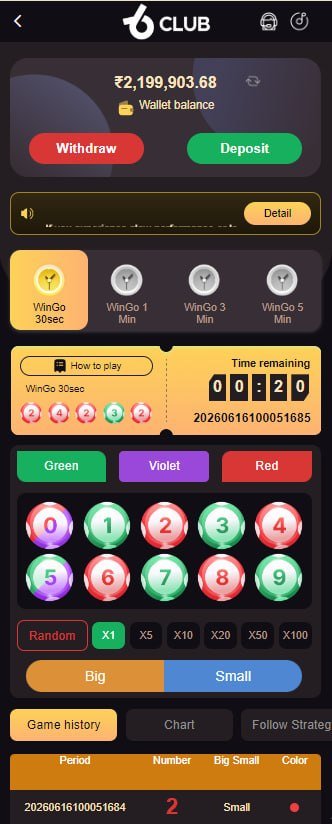
Historical 6Club screenshots mein dashboard, WinGo, gift codes aur wallet views nazar aate the. Yeh visual record hai, real-time app confirmation nahi.
WinGo, K3, 5D aur lottery same game nahi. Category labels aur historical round history ko prediction evidence samajhna mistake ho sakta hai.
Is page ke visual references old 6Club-related material se liye gaye hain. UI, available services, app features, offers aur payment processes time ke saath change ho sakte hain. 6club.ink independent informational site hai, operator account system nahi. Real-money outcomes ya payouts yahan guaranteed nahi kiye jaate.
Current interface ya policy ka decision lene se pehle original source, applicable rules aur current terms independently verify karna zaroori hai. Password, OTP aur personal financial information unknown contacts ke saath share na karein.
6Club Login & Register
Account labels aur interface ka context samajhne ke baad relevant entry action choose karein. External page new tab mein khulta hai.
Wallet and payment questions
Wallet transaction history aur bank/UPI records separate sources hain. Delayed status ya mismatched balance ko clear timestamps ke saath document karna important hai.
Never send PIN, OTP, password ya seed phrase to a support account. Unverified advance payment requests concern ka reason hain.
Is point se connected questions ko 6Club App Download aur 6Club Game pages par aur clearly explore kar sakte ho.
Independent site ka role
6club.ink historic interfaces aur practical explanations share karti hai. Site itself operator nahi, so it cannot verify live registrations, payout claims or current licensed status.
Kisi service ke legal, financial aur security status ke decisions ko screenshots ke basis par complete mat karo.
How To Find The Right Answer Faster
When a search question includes login, start with the account access page; if it includes app crashes, the app and troubleshooting pages are more relevant. Game format questions belong to separate WinGo, 5D or K3 pages. This simple mapping prevents one general FAQ answer from hiding the detail you actually need.
Some questions are about historical design and others about current operator performance. Screenshots can answer “what did a screen look like?”, but not “is this operator licensed today?” or “will my payment arrive?”. Current claims require independent contemporary evidence rather than archived images.
If your question involves sensitive data or money, slow down. A website can explain common error types, but it cannot safely validate your specific account without an authorized operator system. Never submit private credentials to a general public information form.
Ek Quick Checklist Jo Kaam Aayegi
Jab screen, label ya status confusing ho, ek hi baar mein sab actions karne ke bajay in checks ko individually apply karo. Small details notice karna impulsive steps se zyada helpful hota hai.
- Sawal ka exact topic choose karo
- Related details wali page open karo
- Historical screenshots ko live na samjho
- Current claims separately verify karo
- Sensitive credentials private rakho
- Unclear answer par financial actions pause karo
Common Issues Aur Practical Checks
Har problem ke liye same fix fit nahi hota. Neeche symptom aur useful next check side by side rakhe hain taaki diagnosis direct rahe.
| Screen ya issue | What to check |
|---|---|
| Login FAQ | Login page se field explanation dekhein |
| App FAQ | App / APK pages compare karein |
| Game FAQ | WinGo, K3, 5D pages separately padhein |
| Wallet FAQ | Deposit, withdrawal aur wallet pages check karein |